
Discover Beautiful Places.
Plan Better Shoots.
Explore photography locations, save places worth visiting, and organize your next shoot with useful location information and practical planning tools.
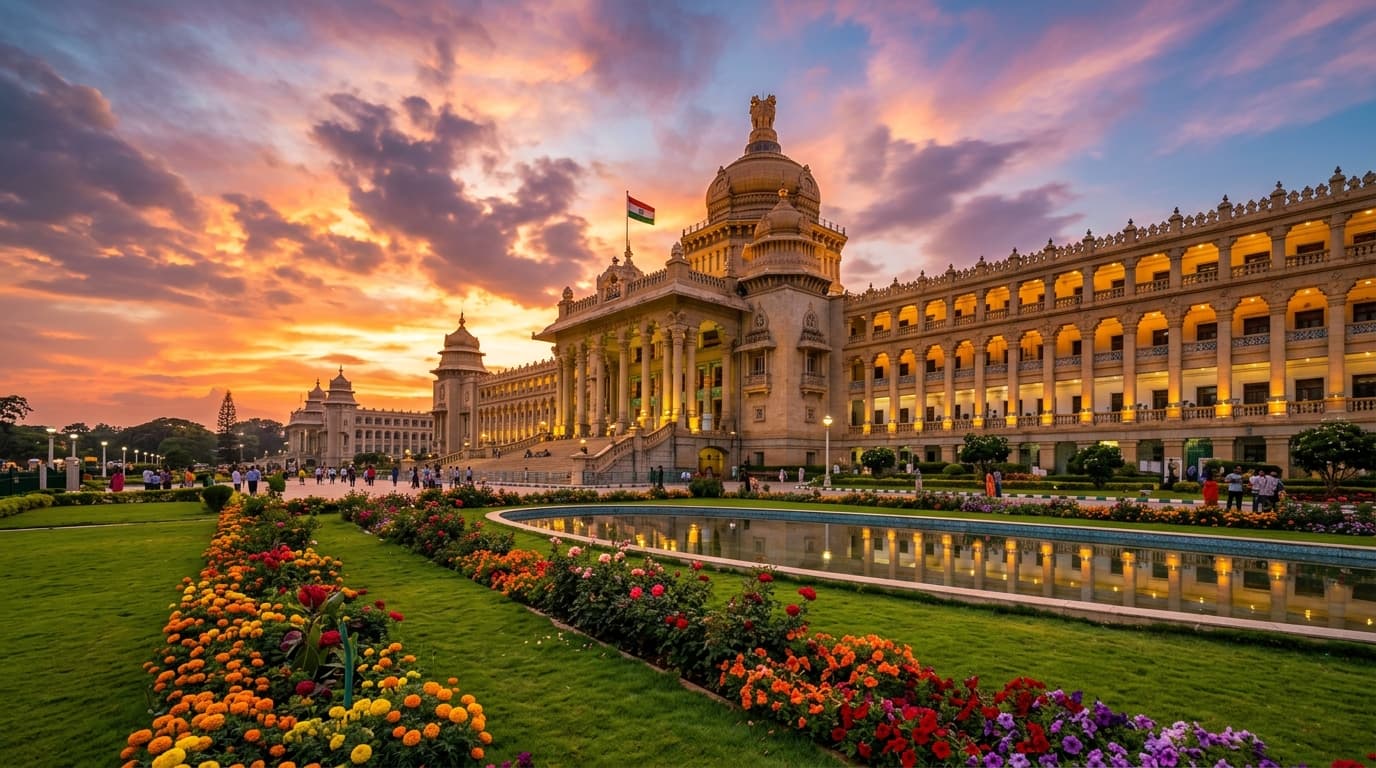
Vidhana Soudha
Optimal framing from the outer park perimeter during early sunrise when atmospheric haze and vehicle flow are minimal.
One Place for Your Photography Plans.
From discovering a new location to organizing your shoot, Fliqa Spot brings useful photography tools together in a more convenient experience.
Discover Locations
Explore curated photography destinations and review verified photography details before stepping out.
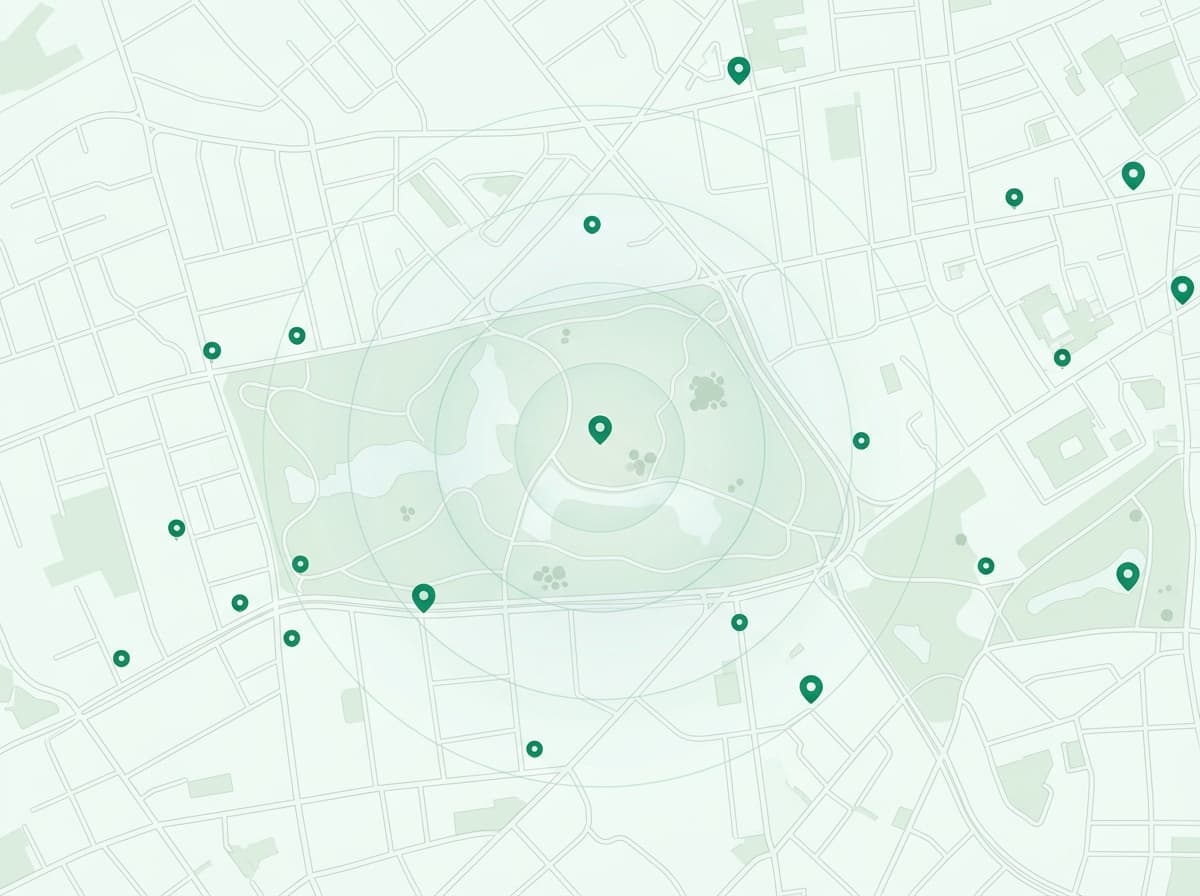
Explore on a Map
Browse locations geographically to uncover hidden photography angles and scenic spots around your destination.
Save Your Favorites
Keep inspiring spots structured inside personal collections so you never lose track of a potential frame.
Plan Your Shoot
Assemble locations, timing guides, checklists, and visual references together into one unified project.
Find Places Worth Photographing.
Discover a growing collection of photography locations with images, geographic information, and practical guidance where available.
Vidhana Soudha
Neo-Dravidian landmark; optimal symmetry in early morning light without street congestion.
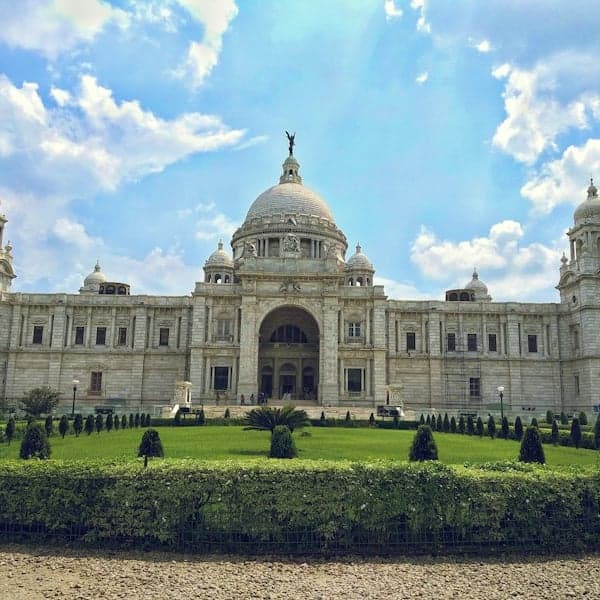
Victoria Memorial & Maidan
White Makrana marble reflecting across water bodies; garden entry ticket required.

Amber Fort & Sun Gate
Intricate sandstone archways and geometric Mughal courtyards with panoramic Aravalli views.

Old Goa Chapels & Seacoast
Baroque facades, palm-lined coastal lanes, and warm coastal sunset horizons.

City Palace & Lake Pichola
Waterfront balconies with panoramic reflections across serene waters.
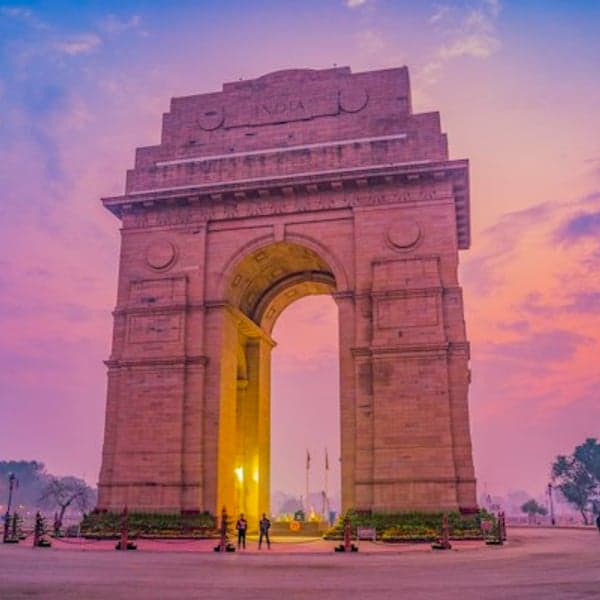
Qutub Complex & Alai Minar
Intricately carved red sandstone columns and towering minarets; ASI entry regulations apply.
Tools for the Way You Create.
Whether researching a weekend travel sequence or coordinating a multi-location commercial campaign, Fliqa Spot equips you with dedicated tools.
Photography Location Discovery
Explore verified photography spots across Indian states with verified imagery and contextual details.
Interactive Maps
Browse locations geographically to uncover hidden photography vantage points in any city.
Saved Spots & Collections
Organize favorite locations into categorized collections for personal references or production decks.
Shoot Planning
Sequence multi-destination shooting itineraries aligned with natural sun cycles and travel hours.
Photography Guidance
Understand architectural orientations, optimal focal lengths, and camera composition suggestions.
Best Time to Shoot
Astronomical solar calculations (golden hour, blue hour) paired with live weather condition forecasts.
Location Scouting Checklists
Structured field checklists covering power, lighting, crowd index, and permits for every shoot.
Moodboards & PDF Proposals
Compile aesthetic references and export client-ready luxury PDF location proposals directly.
From Inspiration to a Planned Shoot.
Streamline how you transition from an idea to a fully organized shooting day with four clear steps.
Discover
Find photography locations that match your creative ideas using location-based search and filters.
Save
Keep useful destinations in your personal collections to build a curated library of shooting spots.
Plan
Organize shoot locations, prepare scouting checklists, and review timing and lighting guidance.
Create
Use your plan and visual references to prepare for a more organized, confident photography experience.
For Photographers. Filmmakers. Creative Explorers.
Whether you are exploring locations for a personal project or preparing a professional photography assignment, Fliqa Spot helps bring your ideas and planning together.
Photography Enthusiasts
Discover scenic viewpoints, weekend road trip destinations, and local landmarks with practical lighting guidance.
Professional Photographers
Scout exact lighting angles, compile location dossiers, and build structured shoot schedules for client assignments.
Filmmakers & Videographers
Identify cinematic backgrounds, assess sun trajectory, evaluate scene lighting, and assemble multi-spot filming itineraries.
Content Creators
Find dynamic backdrops for editorial portraits, travel vlogs, and brand campaigns with reliable field information.
Creative Production Teams
Coordinate location scouting checklists, moodboards, and timing across directors, producers, and crew members.
More Tools for Detailed Planning.
Fliqa Spot Pro provides additional tools for creators who need more flexibility in organizing photography locations and planning projects.
Advanced Photography Filters
Filter destinations by lighting orientation, time of day, crowd index, lens suitability, and scenery type.
Unlimited Collections
Organize unlimited photography ideas, themed destinations, and client projects without standard limits.
Multi-Location Shoot Planner
Sequence multiple shooting spots into a cohesive day plan with travel estimates and golden hour alignments.
Advanced Photography Guidance
In-depth focal length recommendations, compositional vantage points, and camera settings for every spot.
Best Time to Shoot
Astronomical solar calculations (golden hour, blue hour, solar noon) paired with real-time weather forecasts.
Professional Scouting Checklists
9 specialized field checklists for weddings, fashion editorials, brand commercials, and landscape scouting.
Client-Ready Moodboard & PDF Builder
Generate branded, presentation-ready location proposals and moodboard PDFs directly for clients.
Available directly through Google Play for ₹99/month or ₹799/year. Cancel anytime in Google Play Store subscriptions.
Plan with Better Information.
Location details and photography guidance can help you prepare, but access conditions, opening hours, fees, photography rules, and local requirements may change.
“Always verify current access rules, applicable fees, photography permissions, and local conditions before visiting a location.”
Frequently Asked Questions.
Answers to common questions about Fliqa Spot, account handling, and location discovery.
What is Fliqa Spot?
Fliqa Spot is a mobile application developed by FliqaIndia designed specifically for photographers, filmmakers, and creators. It combines curated photography location discovery across India with practical shoot-planning tools, lighting guidance, and personal collection management.
Can I save photography locations?
Yes. Fliqa Spot allows you to bookmark photography spots and organize them into custom collections. Free users can create up to 3 active collections, while Fliqa Spot Pro offers unlimited collections.
Is Fliqa Spot available on Android?
Fliqa Spot (Package: com.fliqaindia.fliqaspots) is currently in Release v0.1.0 undergoing Google Play closed testing and review. Photographers and creators who wish to join our early tester cohort can contact support@fliqaindia.com for closed testing access before general availability.
Does Fliqa Spot offer Pro features?
Yes. Fliqa Spot includes an optional Pro tier with 7 advanced planning tools, including multi-location shoot planning, solar golden-hour calculations, scouting checklists, and client PDF moodboard exports. Verified Google Play subscription plans are ₹99 per month or ₹799 per year.
Does the app provide photography permits?
No. Fliqa Spot is an informational discovery and planning tool. It does not issue official filming permits, grant property access, or guarantee private permissions. Users must independently verify and obtain any required permits from local authorities, monument trusts, or property owners.
How can I request account deletion?
You can request the permanent deletion of your Fliqa Spot account and all associated personal data at any time through our dedicated web portal at /spots/delete-account or directly inside the Android app under Profile → Delete Account. We do not require app reinstallation to submit a deletion request.
How do I contact support?
You can contact the Fliqa Spot team directly by emailing support@fliqaindia.com or by visiting our dedicated Help & Support Center at /spots/support. Our support team assists with account questions, location feedback, and membership inquiries.
Your Next Great Location Starts with Discovery.
Explore inspiring places, organize your favorites, and prepare for your next photography project with Fliqa Spot.
com.fliqaindia.fliqaspotsIn active closed testing for Google Play launch. Direct tester invites available on request.